
This gap is where many quoting delays start. Not from missing files, but from missing context about what the prototype is meant to prove. The sections below cover what a supplier needs to quote a CNC prototype accurately and machine it without guessing at your intent.
Why Prototype RFQs Get Quoted Wrong
A production RFQ usually arrives with a frozen drawing and a known process history. A prototype RFQ often doesn’t have either. The part may still be under review, the tolerances may reflect a first-pass guess rather than a validated requirement, and the supplier has no prior job to reference for how the design intent should be interpreted.
When a drawing doesn’t distinguish functional requirements from cosmetic ones, or production-intent tolerances from prototype-stage placeholders, the supplier has to make an assumption. That assumption gets priced in. It shows up as either an inflated quote built around worst-case tolerances, or a quote based on the wrong process altogether.
A prototype RFQ is easier to quote correctly when it tells the supplier what must be controlled and what is still flexible, not just what the part looks like.
Why Prototype Status Matters
Labeling a job as a prototype changes more than expectations around price. It changes how a supplier plans the work.
Process planning shifts because a one-off part doesn’t justify the same fixture investment as a production run. Material sourcing shifts because a supplier may check stock on hand rather than placing a mill order for a full production quantity. Inspection planning also shifts because the supplier needs to know whether the part is being measured to confirm fit, validate a tolerance assumption, or simply verify that the geometry machined as designed.
None of this means prototype status justifies relaxing every requirement. A prototype built to validate a press-fit bearing bore still needs that bore controlled tightly, even if the surrounding geometry is still in flux.
What changes is which requirements apply, not whether requirements apply at all. Stating that the part is a prototype, and briefly explaining what stage of development it represents, gives the supplier the context to make that distinction instead of guessing.
3D Model and 2D Drawing Requirements
What a STEP File Defines
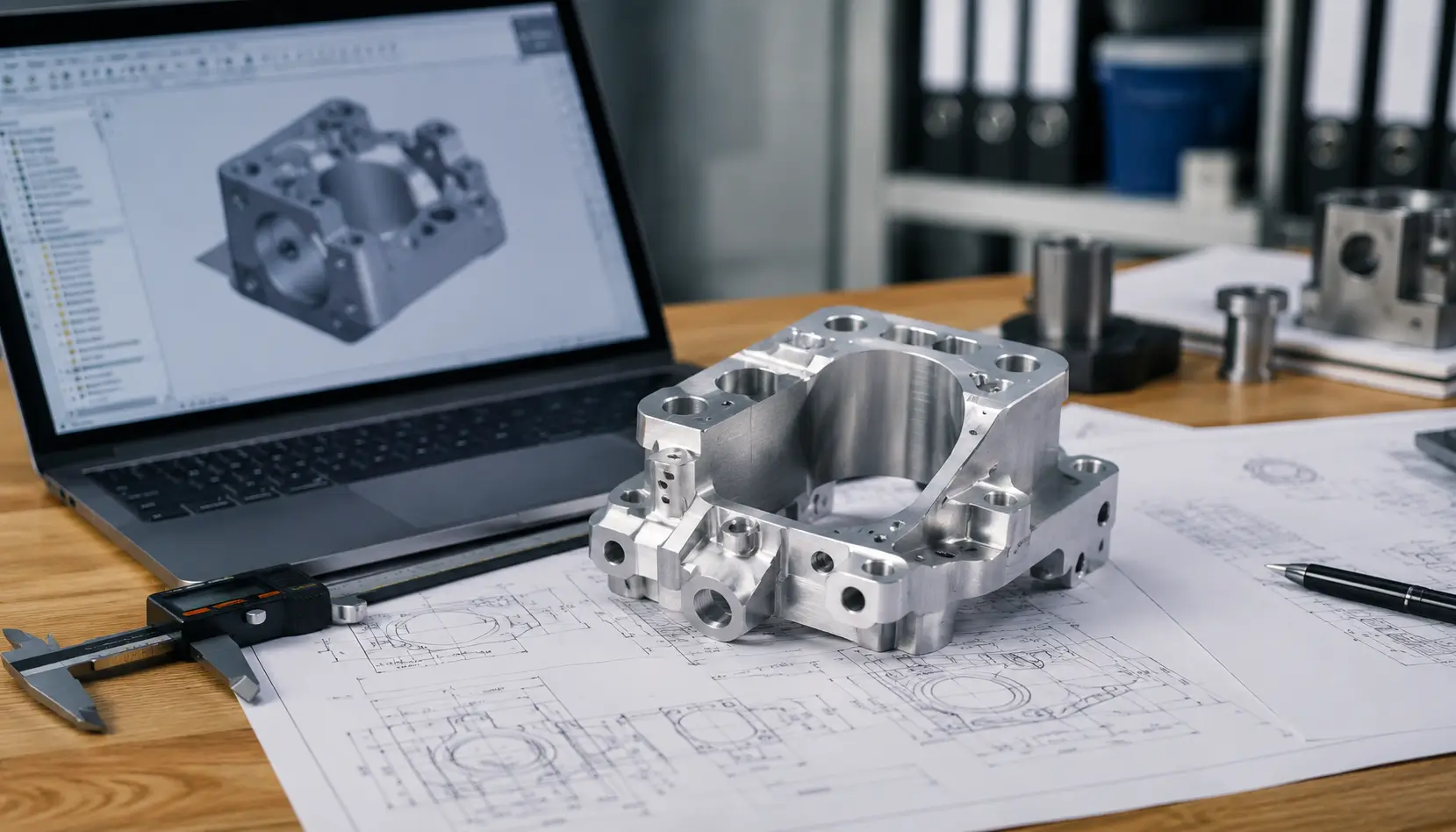
A STEP file defines geometry: surfaces, features, and overall form. It’s what a supplier uses to estimate machining time, check tool access, and plan setups. It does not define tolerances, datums, thread specifications, material, heat treatment, or which surfaces are functional versus cosmetic.
A 3D model on its own tells a supplier what the part looks like, not what it needs to do.
For a prototype, this distinction matters more than it might seem. Two parts with identical geometry can require very different processes depending on which dimensions control assembly and which are open. The 3D model alone can’t communicate that difference.
When GD&T Is Necessary
A complete GD&T drawing with true position callouts, profile tolerances, and datum structures is standard practice for production parts moving into a controlled process. For an early-stage prototype, that level of documentation isn’t always available yet, and requiring it can slow down a part that only needs to validate form or rough fit.
What’s usually necessary, even at the earliest prototype stage, is a way to flag which dimensions are critical and which aren’t. That can be a simplified 2D drawing with a handful of toleranced dimensions and a general tolerance note for everything else.
If the prototype is validating a functional interface, such as a bearing bore, a shaft fit, or a sealing surface, that interface should carry a real tolerance and, where the geometry requires it, a basic datum reference.
During drawing review at ZH Prototyping, a functional interface without a stated tolerance is one of the more common reasons a quote gets held for clarification instead of returned right away. A full GD&T package becomes worth the added drawing time once the design is stable enough that the tolerance scheme itself is being locked in, not just the geometry.
Material Requirements
Material for Functional Prototypes
If the prototype is being tested for mechanical performance, thermal behavior, corrosion resistance, or how it behaves in an assembly under load, the material grade needs to match what the production part will use.
“Aluminum” isn’t a specification. 6061-T6 and 7075-T6 differ enough in strength and machinability that substituting one for the other without confirming that the change is acceptable can invalidate the test the prototype was built to run.
When Material Substitution Is Acceptable
If the prototype exists only to check that a part fits in an assembly or matches an envelope, a substitute material may be acceptable because the mechanical properties aren’t being evaluated.
That substitution should still be stated as a decision, not assumed by the supplier. If a lower-cost aluminum grade or a readily available stock size would work for a form check, say so in the RFQ.
If material substitution isn’t acceptable for any reason, including cases where surface treatment or weight is part of what’s being validated, state that just as clearly.
Critical Tolerances
General Tolerances vs. Fit-Critical Dimensions
Applying a tight tolerance to every dimension on a prototype drawing doesn’t make the part more accurate. It usually means the supplier can’t tell which tolerances reflect an actual requirement and which were copied from a template.
A general tolerance note covering non-critical dimensions, paired with specific callouts on the dimensions that control fit or function, gives the supplier a clear picture of where precision actually matters.
Common Fit-Critical Features
The dimensions worth flagging individually are usually the ones where two parts meet or move against each other: bearing bores, shaft fits, mounting hole patterns that need to align with a mating component, and sealing surfaces where surface finish and flatness affect performance, not just size.
If the prototype’s purpose is to validate one of these interfaces specifically, that interface should carry a tolerance the supplier can actually hold to, not a placeholder value.
Prototype Quantity and Production Volume
Prototype Quantity
State the number of prototype parts needed. A quantity of one is quoted differently from a quantity of ten because fixture strategy and setup amortization change with volume even at the prototype stage.
Expected Production Volume
If there’s an expected production quantity or annual volume behind the prototype, mentioning it can help the supplier think about tooling and process planning with that future volume in mind, even though the prototype itself is quoted separately.
If production volume isn’t known yet, saying so is enough. Guessing at a number simply to fill in the RFQ creates more confusion than leaving it open.
Surface Finish and Secondary Operations
Requirements such as anodizing, bead blasting, passivation, plating, or heat treatment should be tied to what they’re accomplishing in the prototype.
A finish required for corrosion resistance or for a dimensional reason, such as anodizing thickness affecting a toleranced fit, needs to be called out with that context. A finish that’s purely cosmetic, meant for a customer-facing demo rather than a functional test, is worth identifying as such because it affects how the supplier sequences the work.
Skipping a finish because the part is “just a prototype” is only appropriate if the finish isn’t part of what the prototype is validating. If the surface treatment affects fit, corrosion behavior, or how the part performs in testing, it belongs in the RFQ regardless of prototype status.
Inspection Requirements
Prototype parts don’t automatically need less inspection than production parts. What documentation makes sense depends on what the part is validating and what risk is attached to it being wrong.
A prototype confirming a cosmetic form factor may only need a basic dimensional check on a few key features. A prototype validating a press-fit tolerance or a sealing interface may justify a dimensional report or CMM inspection on those specific features, even as a one-off part.
If a material certificate, certificate of conformance, or first article inspection is required for internal validation or a downstream approval process, state that in the RFQ.
Leaving inspection requirements unspecified means the supplier decides for you, and that decision may not match what the prototype is actually meant to confirm. Inspection planning at ZH Prototyping typically starts from whichever features the customer has flagged as fit-critical, rather than defaulting to a full dimensional report on every dimension of a one-off part.
Lead Time and DFM Feedback
State a target delivery date when timing matters, along with the shipping destination. If the date is flexible, saying so is useful information because it may open up scheduling options that a fixed deadline would rule out.
Inviting DFM feedback in the RFQ, rather than leaving it implied, gives the supplier explicit permission to flag a difficult feature, suggest a tolerance adjustment, or raise a question about design intent before quoting instead of after the part is already in production.
It doesn’t guarantee a faster quote or lower price, but it does reduce the chance that a manufacturability issue surfaces mid-job instead of during review.
If the drawing is still being revised, noting the current revision level and what might still change also helps the supplier judge how much of the quote should be treated as firm.
CNC Prototype RFQ at ZH Prototyping
When a drawing reaches ZH Prototyping without a clear indication of which tolerances are fit-critical, the first step is usually to clarify the requirement with the customer rather than build a quote around assumptions.
The same applies to material grade. If a callout is ambiguous or a substitution appears possible, it should be confirmed before machining starts, not after the part has already been made.
FAQ
Not always. Early-stage prototypes validating form or rough geometry can often be quoted from a 3D model with a simplified drawing that flags critical dimensions and a general tolerance for the rest. A full GD&T package becomes more important once the design is stable and the tolerance scheme itself is being locked in, particularly for parts with functional fit requirements.
It depends on what the prototype is validating. For a form or fit check, a substitute material may work fine. For a prototype testing mechanical performance, thermal behavior, or corrosion resistance, the material needs to match what the production part will use. State which case applies rather than leaving the supplier to assume.
It’s optional, not required. If a production volume is expected, mentioning it can help the supplier think ahead about tooling and process planning. If volume is still unknown, say that directly. The prototype itself gets quoted on its own quantity either way.